Home
Download
Buy Now/Get It Free
Contact
 
Video Software
Naturpic Video Cutter
Naturpic Video Joiner
Naturpic Video Converter
Naturpic Video to MP3
 
Audio Software
Naturpic Audio Editor
Naturpic Audio Toolbox
Audio File Cutter
Small WMA MP3 Converter
Hotkey Sound Recorder
CD to WMA MP3 Ripper
Naturpic Audio CD Burner
All2WAV Recorder
 
Graphic Software
3D Real Boxshot
High Quality Photo Resizer


How to Cut/Split Audio File
Step By Step Photo Tutorial


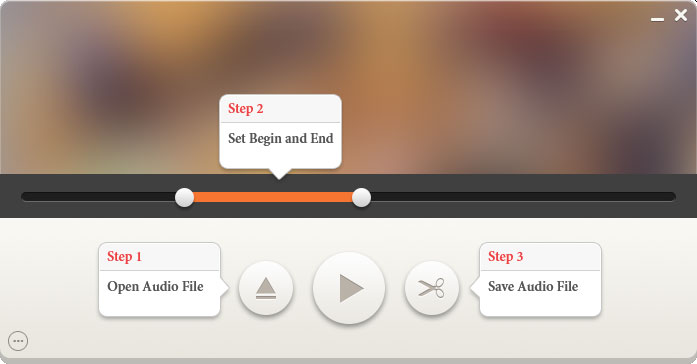
Step 1: Run Audio File Cutter, click the "Open" button to browse and select a audio file.


Step 2: Move the sliderbar to where you want the output audio file to start from, then click the 'Set Begin' button to mark the start point. Next, move the sliderbar to where you want the output audio file to end and then click the 'Set End'.


Then you may click the "Play Selection" button to preview the output audio file.


Step 3: Click the "Cut" button now. After a few seconds you will get the output audio file!


© 2003-2010 Naturpic Software